
Image Edit
How to use File Name feature?
Why should I care about image file names?
Creating good file names helps improve your rankings in Google Image Search. For more information, we suggest the following articles:
- 10 Must Know Image Optimization Tips
- SEO 101: Optimize Your Images and Make Them #SEO Rockstars in 4 Steps
How do I edit image file names?
You can edit your image file names by following these steps:
- Open our Bulk Image Edit app
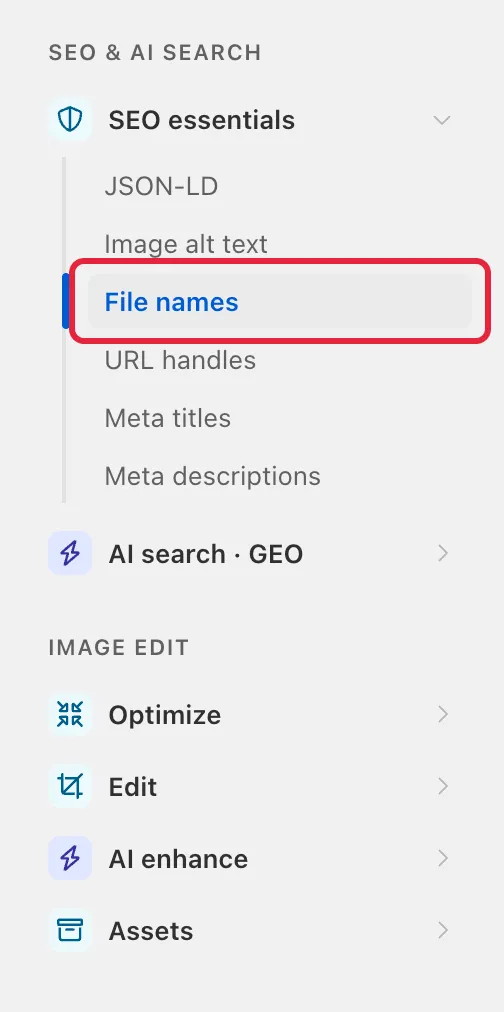
- Click Edit under the app in the Shopify sidebar, then choose File names under SEO essentials in the tool menu.
Step 1: Click on Product images (if you want to edit your collection images or blog post images, click on that option instead).
Step 2: Create your filter conditions. In this step, you will be creating filters to tell the app which images to target. For example, if you have a collection called Everyday Essentials and you want to edit every image in this collection, you would create this filter.
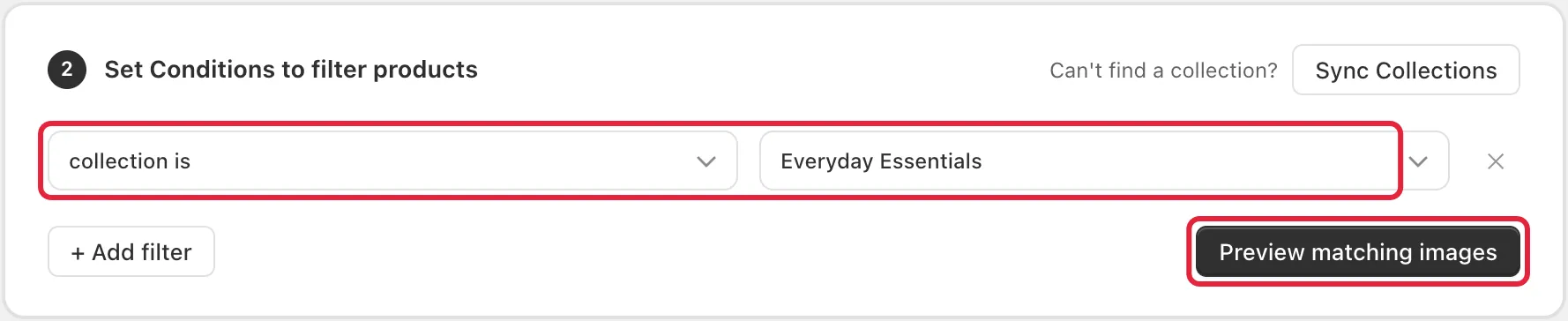
You can also click on Preview matching images to view which product images match the current filter.
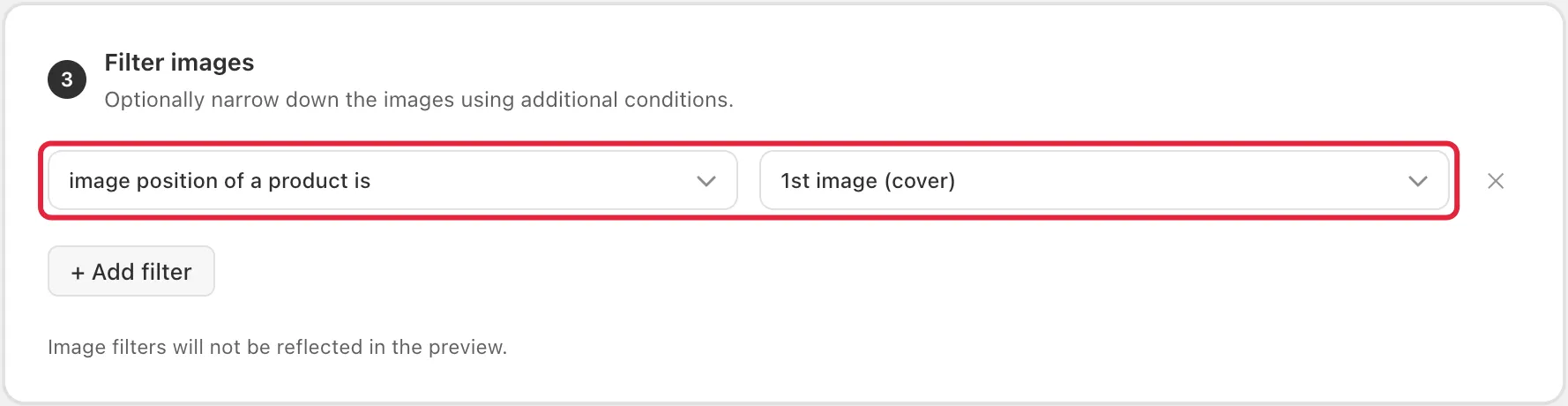
Optional step 3: You can also filter the images inside those products, for example only the first image of each product.
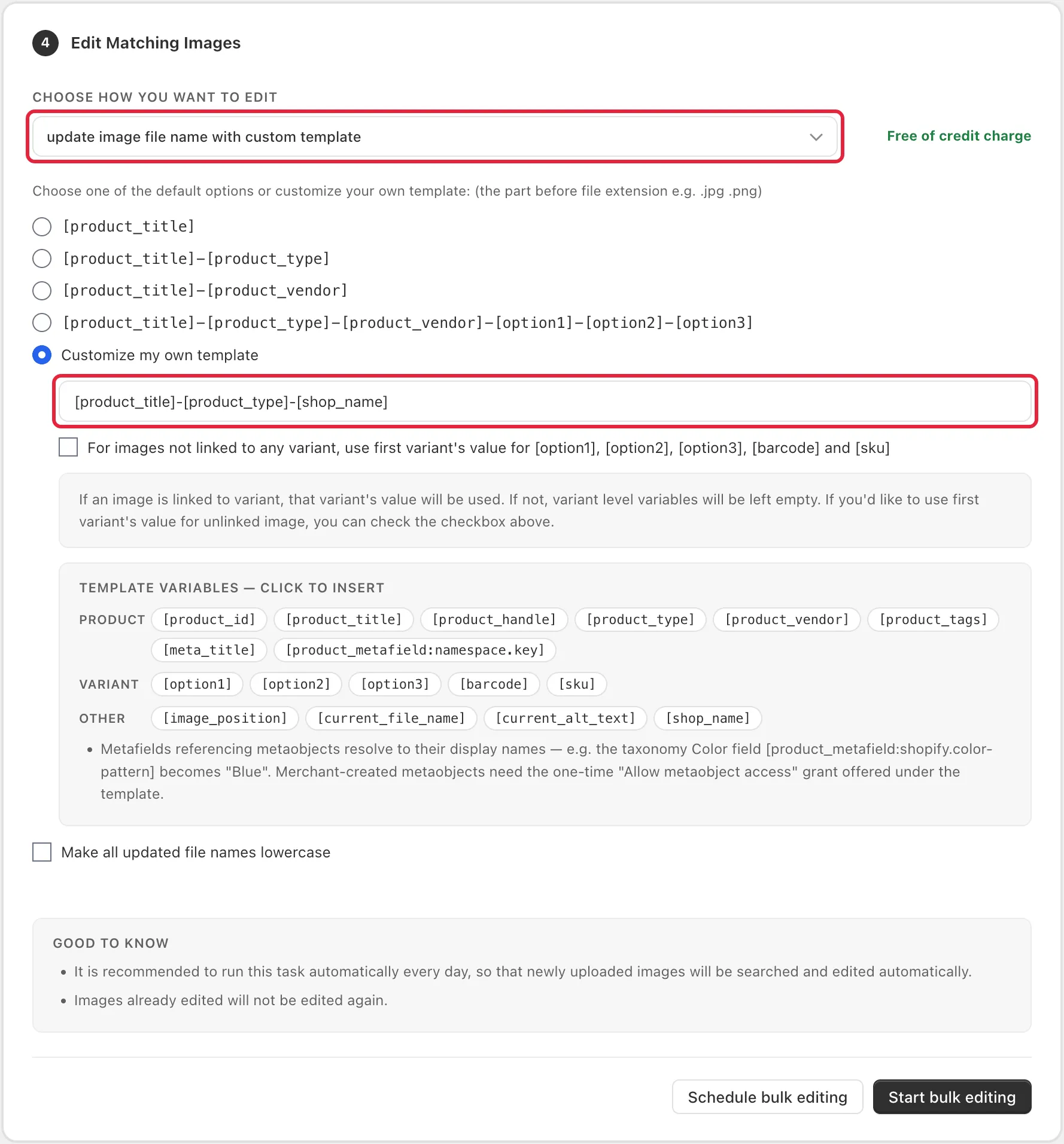
Step 4: Select update image file name with custom template and choose a template to edit your image file names. There are various options, including a custom template. If you’d like to have your product title, product type & store name in your image file names, you would use this custom template.
You can follow the video below for a step-by-step guide on how to do this.