
Bulk Customer Edit
Tutorials on Editing Customer Tag
1. Set up the Customer filter
Before anything, make sure that you are in the correct section of the app. Click Create Task in the app menu, open Customers, then click Customer tag
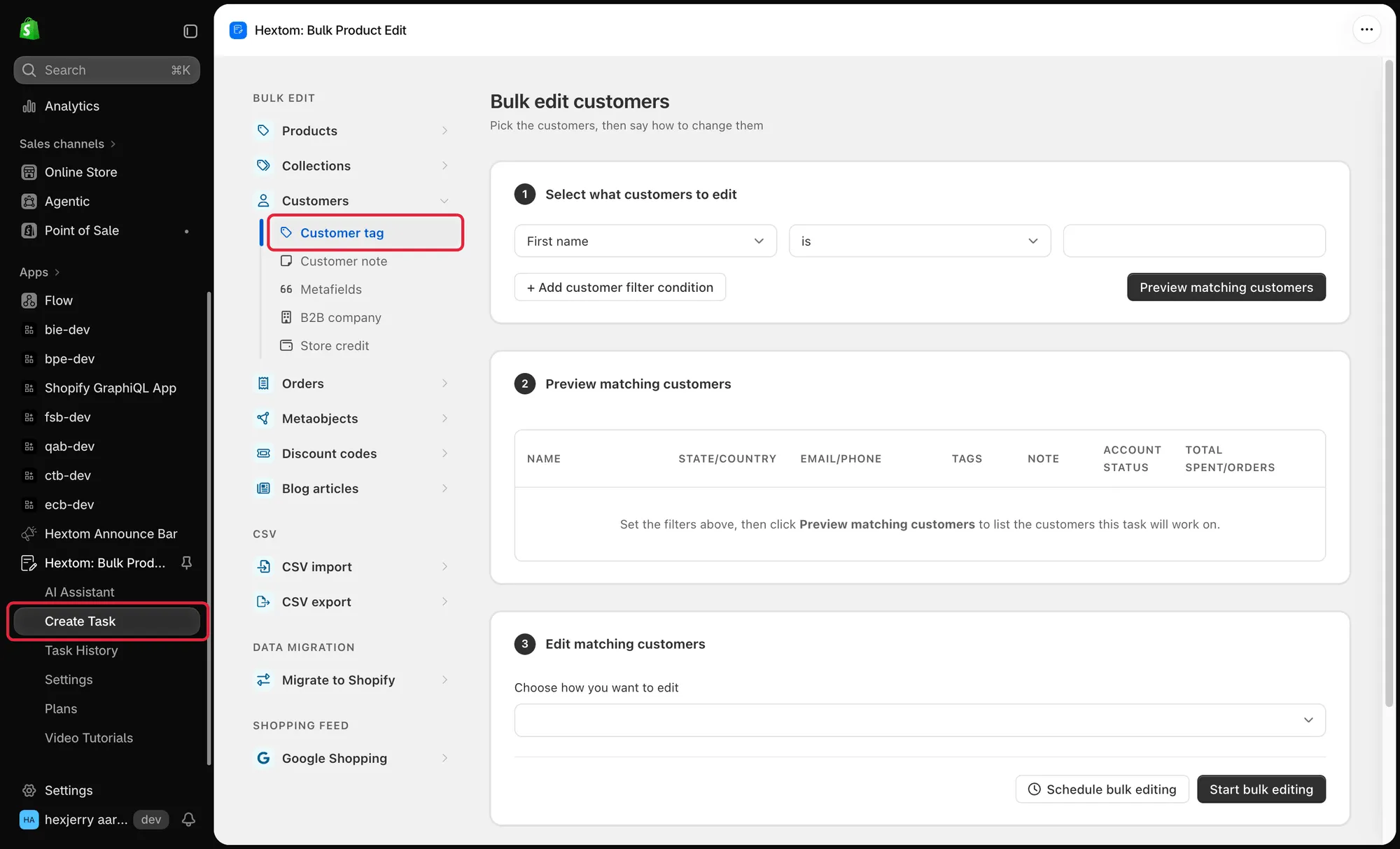
The first step to setting up a bulk edit is to set up the filters. Our app has many fields that you can filter from, which can help you narrow down the products that you would like our app to edit. Our app also comes with a preview function, so that you can verify if the products found are correct.
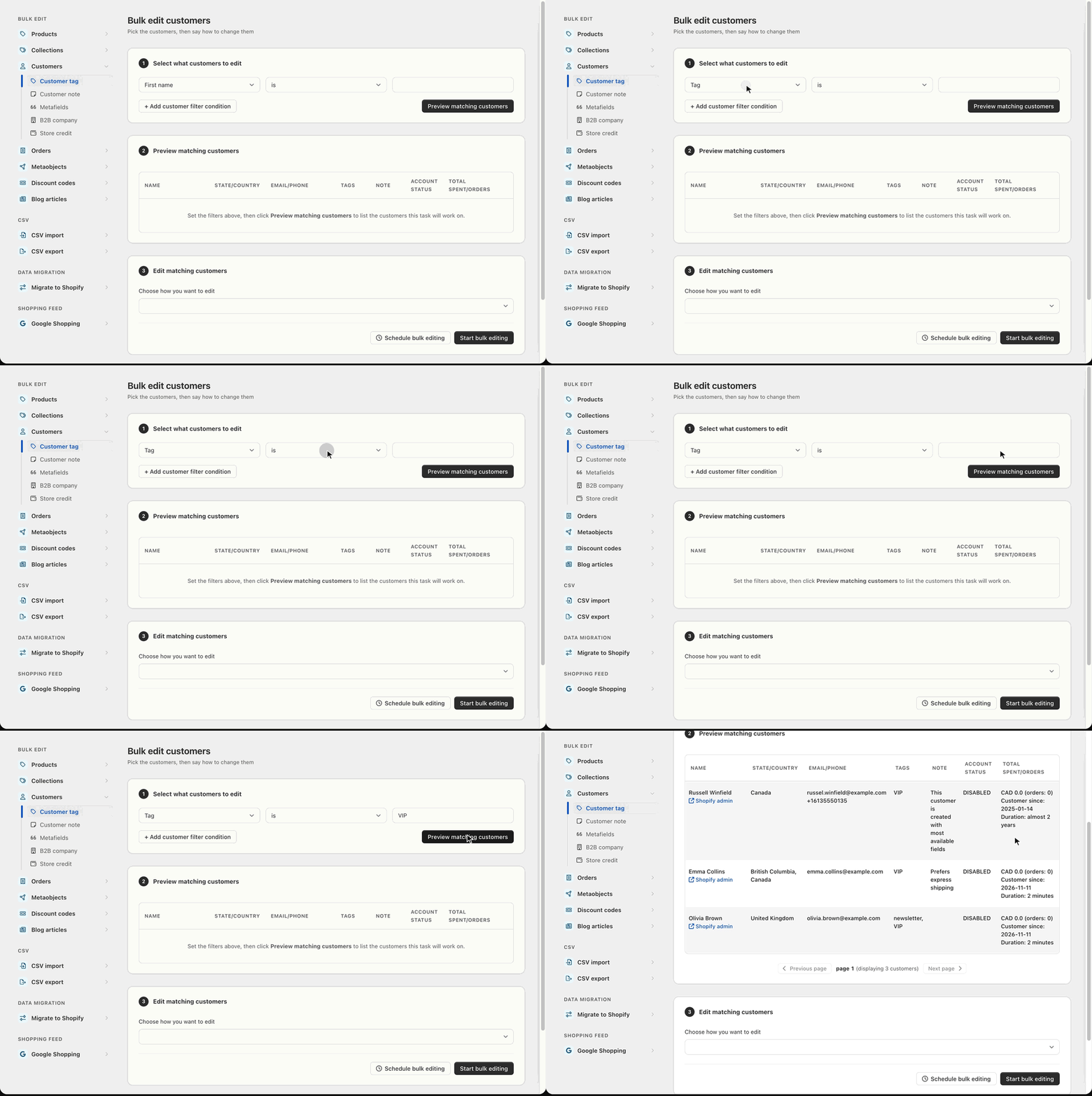
2. Select how to edit the Customer Tags
You can choose multiple functions from here and set up the function as needed
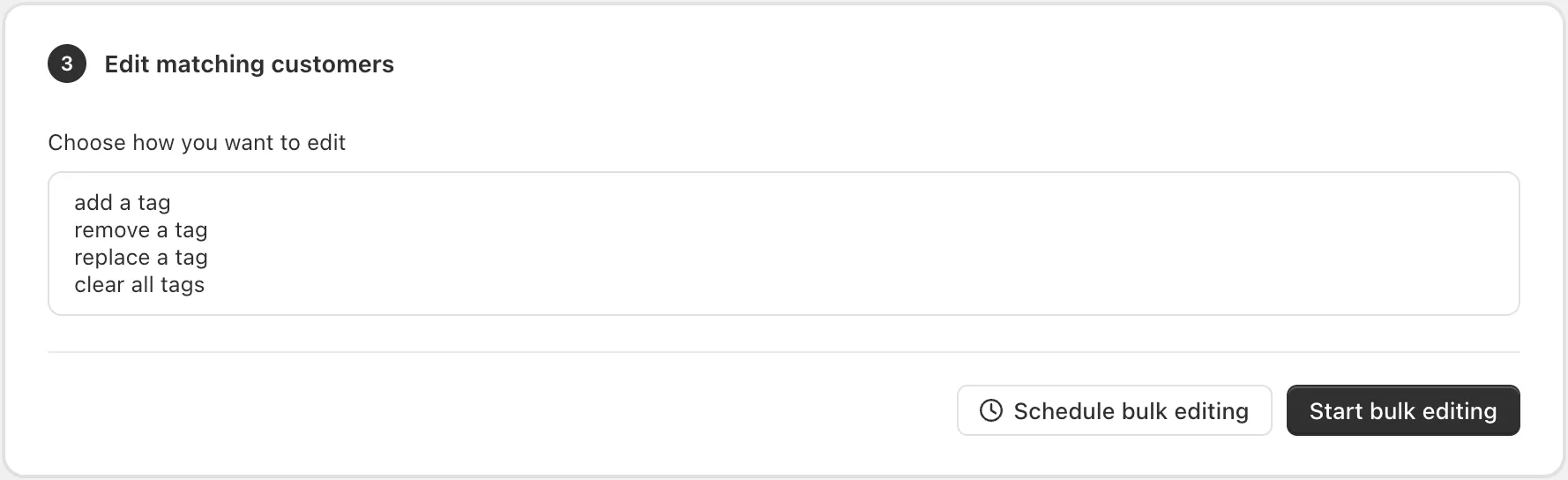
After doing so, you can run the task by clicking on the “Start bulk editing” button.
You can also refer to the guide below for an in-depth guide about this
Was this article helpful?
Your feedback helps us improve our docs.
Thanks for the feedback!